Retrieving the license code and info to access Imagicle support.
|
|
Imagicle will send you the license code after you purchase a software product.
Please print and store the license code e-mail in a safe place as it contains important information.
After activation, the license code is stored on the PC/Server running the activated application, so you can obtain the license code through the following procedures, depending on the application.
 Billy Blue's 4
Blue's Professional, Blue's Hotel, Blue's Enterprise 4
Blue's One CTI Personal
StoneFax, Fax2IP, IVR Manager, Queue Manager, Blue's Attendant, Blue's One CTI Ent, Billy, Speedy, Stonelock, SSAM
IVR Studio
SkyStone, SkyStone ACD
MeetNow
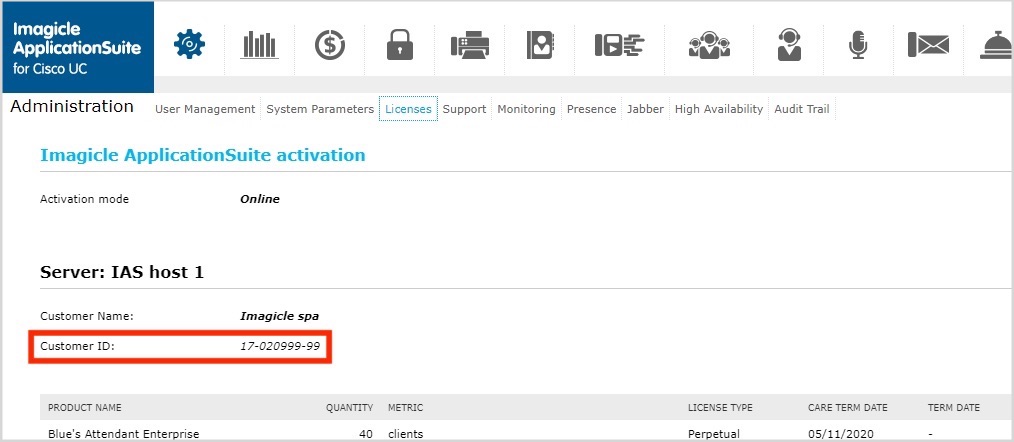
Retrieving your Customer ID
You can find your Customer ID in your Imagicle UC Suite.
After logging in go to Administration>Licenses.